Your vision, made visible.

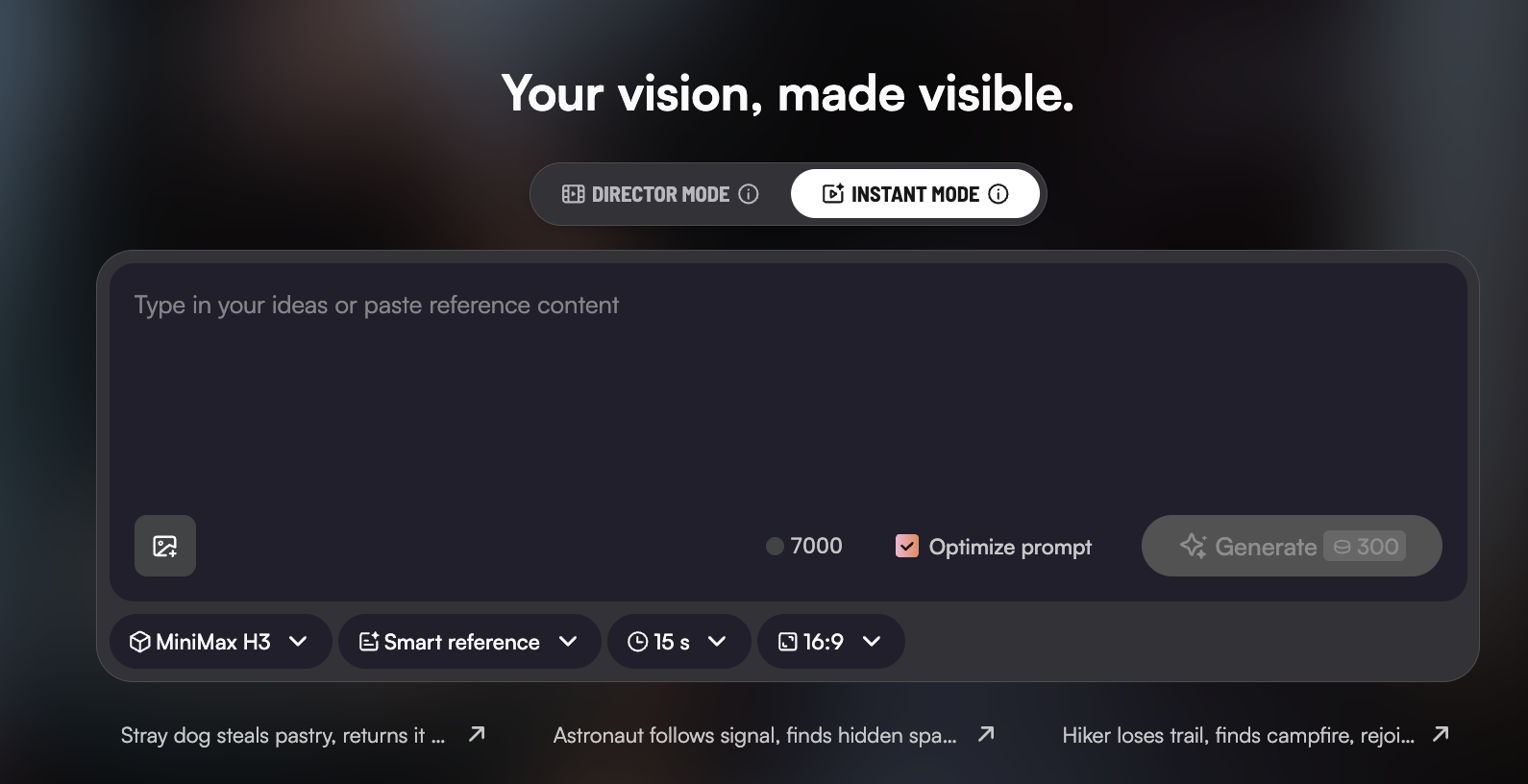
Stray dog steals pastry, returns it gratefully. Wilted seed grows into towering blooming tree. Astronaut follows signal, finds hidden space garden. Shy violinist fails, then earns standing ovation. Knight flees, finds sword, turns the battle. Paper airplane travels city, child relaunches it. Chef ruins dish, wins diner over anyway. Lost firefly wanders, rejoins glowing swarm. Inventor's failure becomes working dawn triumph. Hiker loses trail, finds campfire, rejoins group.

Powered by Seedance 2.5, MiniMax H3, and More

Mootion – AI Video Generator for Cinematic Visual Storytelling

Turn text, ideas, images, and scripts into cinematic-quality videos with AI. Mootion helps creators, educators, filmmakers, and storytellers generate expressive visual scenes with synced motion, audio, and narrative flow — no complex tools required.

100,000,000+
videos created
5,000,000+
creators
50+
countries covered
17+
output languages
Saadia English teacher
I discovered Mootion pure by chance just browsing online and it immediately stood out! It was exactly what I was looking for to make my lessons more interactive and engaging!
@ryoheiplus Game cinematic artist
mootionがストーリーボードつくれるサービスをだすらしい。とりあえずwaiting listに登録。 mootionはもっと評価されてもいいと思う。。
Gina Indie content creator
Your Platform gave my video a boost! It meant so much to me when I started to see the views go up!
@XVisualneuFX Audio & video editor
With Mootion, I can turn my ideas into a storyboard with great cinematic images as I expected.
@seirdotmk AI content creator
Easy to use, got the video in just a few clicks, able to control the entire flow, regenerate frames.
Atef Atwa Product manager
أصبحت Mootion أداة لا غنى عنها للعديد من المبدعين حول العالم.
فما تقدمه ليس مجرد برنامج، بل وسيلة تمكن المستخدمين من تحويل أفكارهم وأحلامهم إلى واقع ملموس.
Brent AI enthusiast
Really like the additional features/expanded running time. I managed to make a pretty watchable Spy Thriller. The 3D Camera control is great and easy to use. I'll post it now. Really impressive!
Create now
Powerful AI, easy creation
1

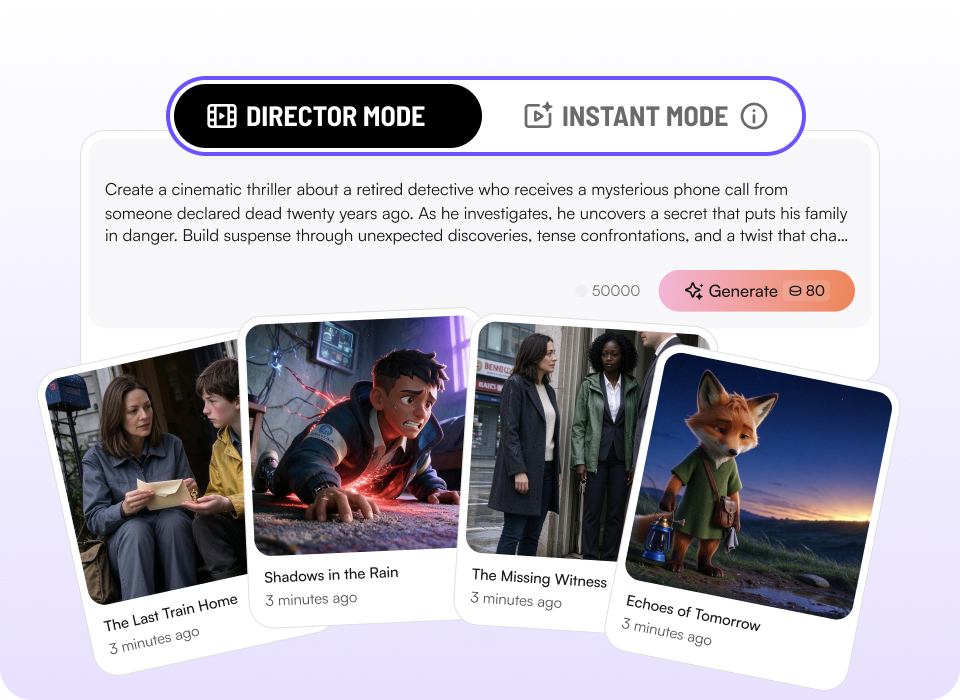
Director Mode & Instant Mode

Dual creative modes
  • Speed when you need it, control when you want it. Switch seamlessly between Instant Mode for one-prompt full-length video creation and Director Mode for precise camera control.

Create now
Dual creative modes
2

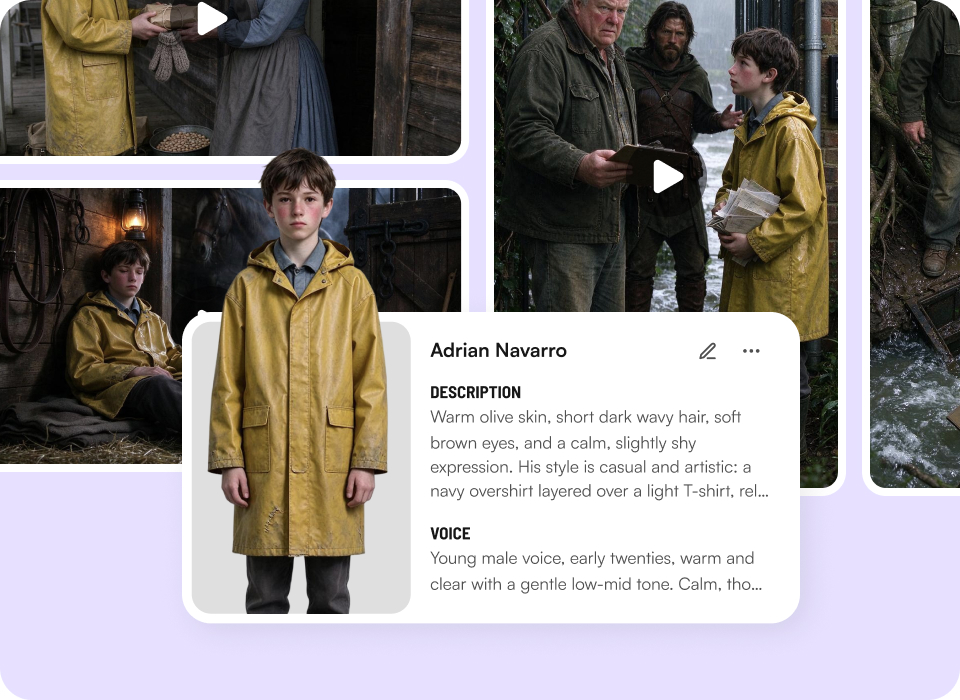
Character Library

Your personal cast of consistent characters
  • Same character across every story. Build, save, and reuse consistent characters in your Character Library. Keep character consistency across projects.

Create now
Your personal cast of consistent characters
3

Idea to video

Create from anything
  • Prompts, scripts, audio, video, files, or links—bring ideas in any form, Mootion turns them into finished video.

Create now
Create from anything
4

AI creation tool

Smart templates for real use cases
  • Hundreds of templates shaped by real workflows—marketing, social, education, and more. Start fast, finish strong.

Create now
Smart templates for real use cases
5
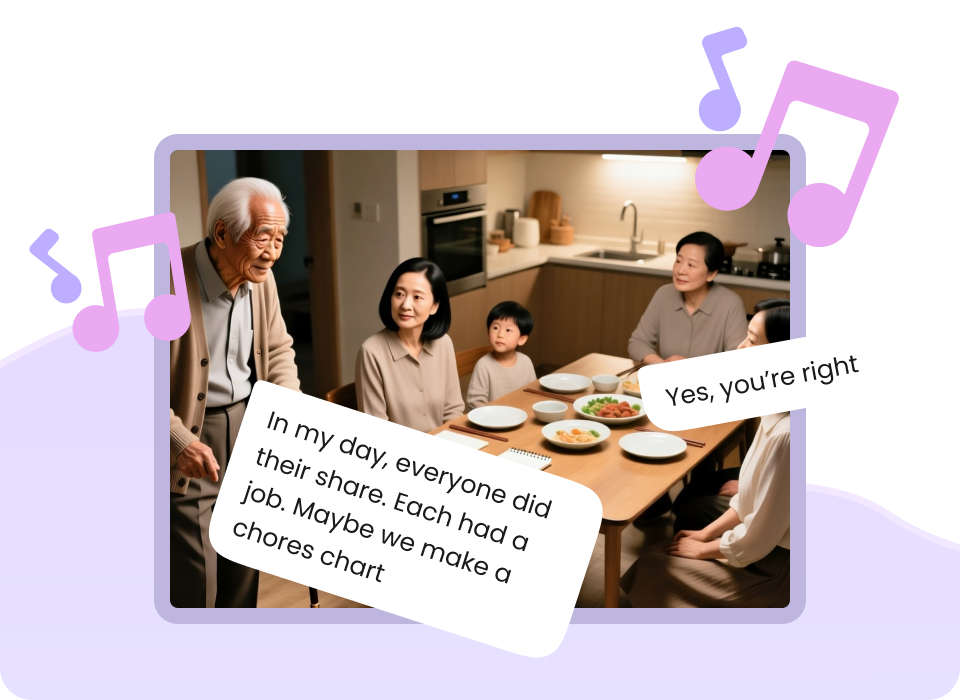
Performances you can hear and feel
  • Voice, music, and effects work in rhythm to create emotion and impact—your videos don’t just look good, they connect.

Performances you can hear and feel
Create now

Frequently asked

What is Instant Mode?

Instant Mode is Mootion AI’s high-speed generation entry point built for rapid short-form video creation. It turns single text prompts directly into final video outputs in seconds without requiring multi-shot storyboarding.

What is the difference between Instant Mode and Director Mode?

Instant Mode and Director Mode
  • Instant Mode: Straight from prompt to video, fastest way to finished work. Engineered for speed and single-shot execution. Perfect for fast iterations, TikToks, YouTube Shorts, and Instagram Reels.
  • Director Mode: Storyboard first, then render. Full control over every shot. Engineered for granular multi-shot storytelling. It breaks your project down into multiple scene storyboards for complex visual narrative control.

What is Smart Reference and how does it work?

Smart Reference gives you precise control over your output by going beyond text prompts. You can upload multiple images, videos, or audio files as references to lock in exact lighting, motion dynamics, character appearance, or artistic style.

Is Instant Mode optimized for short-form video platforms?

Yes. Instant Mode is designed specifically to streamline short-form content pipelines. You can select aspect ratios like 16:9, vertical 9:16, or more ratios (1:1, 21:9, 4:3, 3:4), apply Smart References, and render platform-ready video clips instantly for social media distribution.

What is the Character Library feature?

The Character Library lets you reuse characters you’ve previously saved across different projects. Instead of recreating a character from scratch, you can select a saved character when creating a new story in Director Mode.

How do I add a saved character to a new story?

In Director Mode, start typing the prompt, and open the Character List. Manually select the saved character or add the character you want to use, then click 'add to story'.

Can I use multiple saved characters in the same story?

Yes! You can select multiple saved characters from your Character Library and use them together in a single story. The Standard plan can save up to 8 characters in your Character Library. Plus, Pro, and Max plan users can reuse more characters for greater creative flexibility.

Explore more